 Memora
Record your meetings.
The transcript stays on your Mac.
Memora records both sides of a conversation, your microphone and the system audio, then transcribes it locally with Whisper. No audio is ever uploaded anywhere.
Free 14-day trial, no account and no card required. Needs macOS 13 or later on an Apple Silicon Mac.
How it works
Records the whole conversation
Microphone and system audio together: video calls, webinars, phone calls routed through your Mac. One click, or a keyboard shortcut.
Transcribes locally
The Whisper model runs on your Mac with Metal acceleration. Your audio never leaves the computer to get transcribed.
Summaries on your terms
When you want a summary or a detailed report, you can use Claude or OpenAI with your own API key. Optional, off by default.
Markdown ready for Obsidian
Transcript, summary and report are Markdown files with wiki-links, saved wherever you choose.
From call to minutes
Step 1
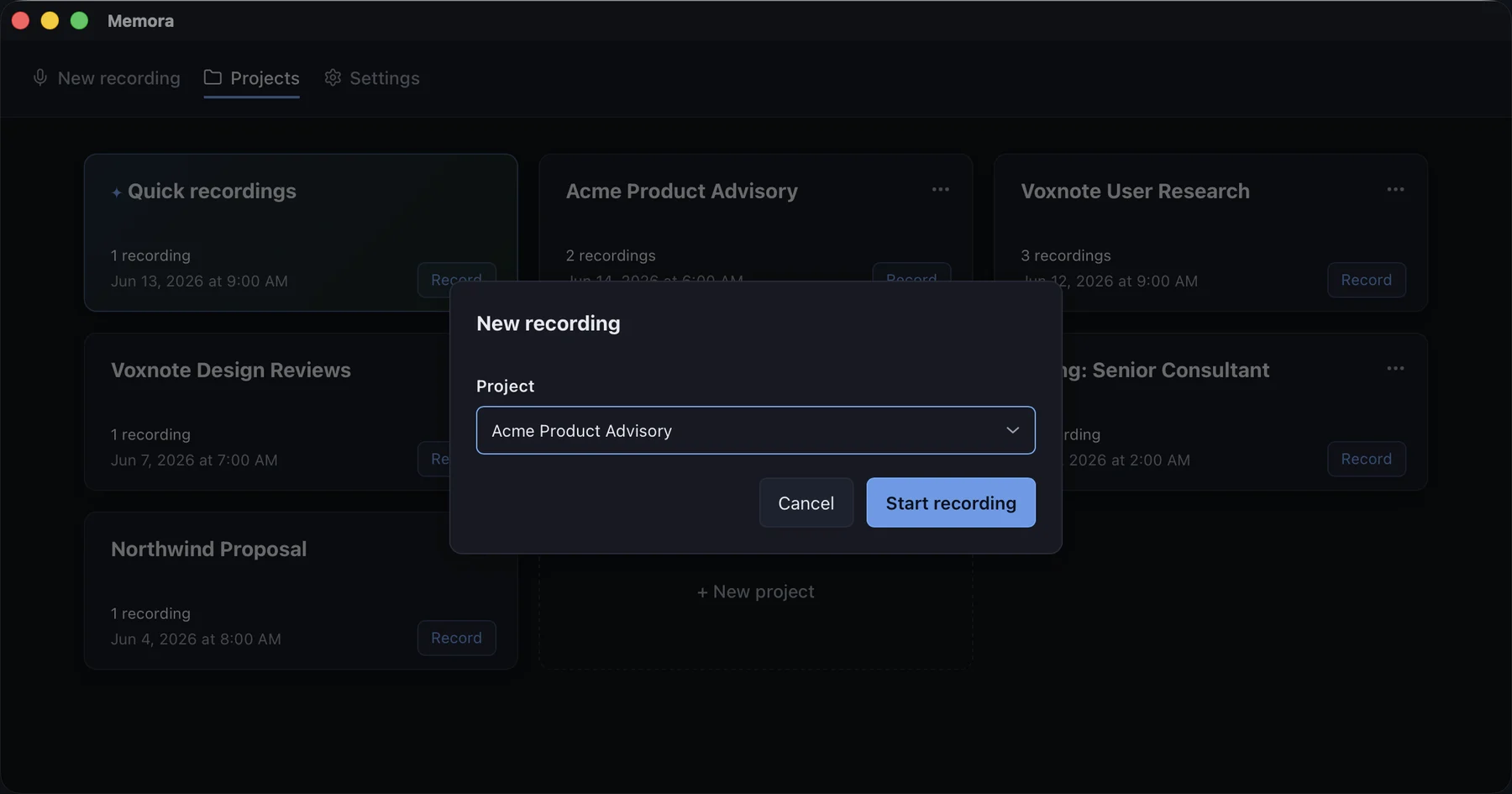
Pick a project, press record
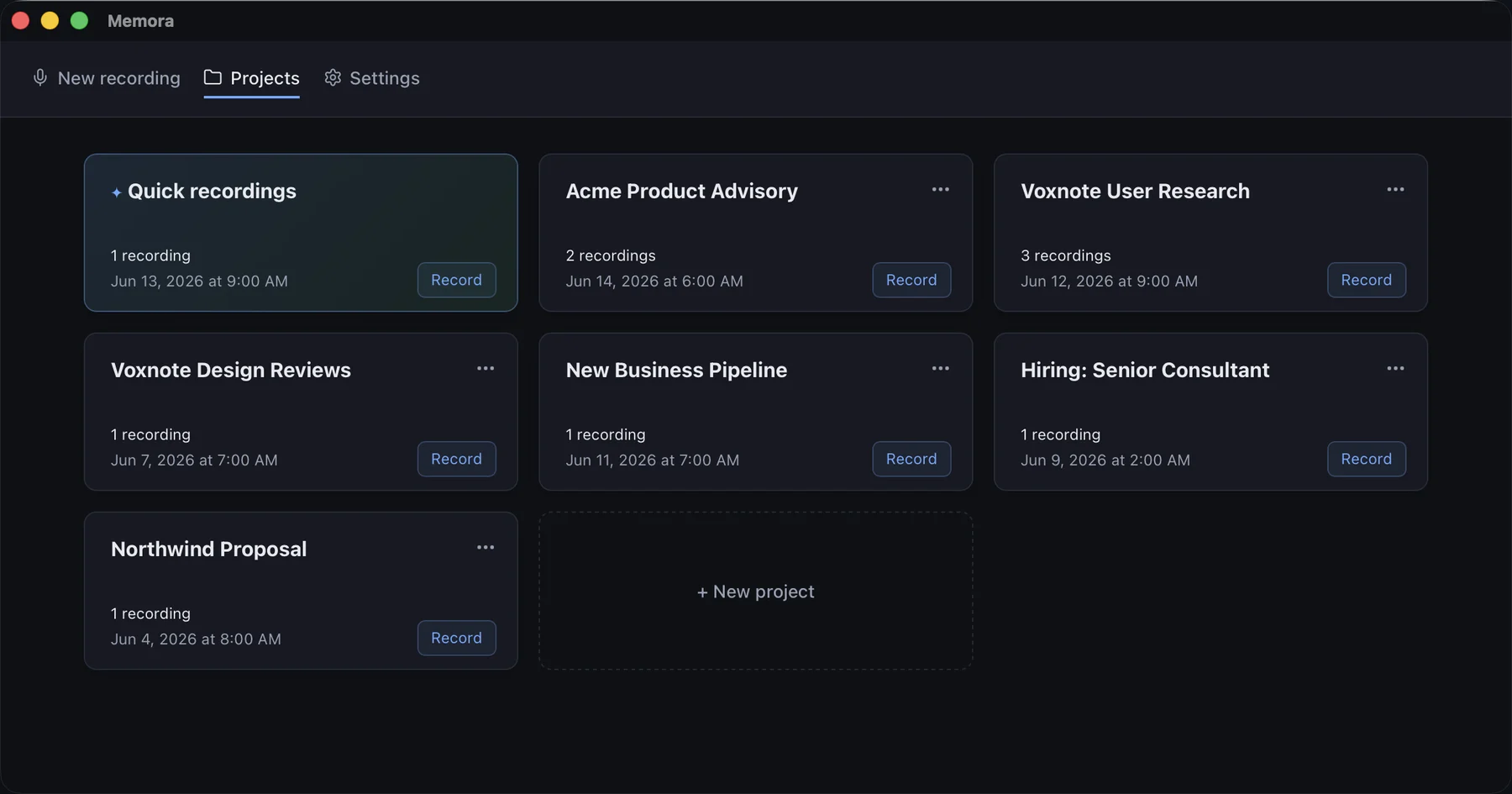
Every client gets a project. Recordings, transcripts and reports stay together, so the call from three weeks ago is easy to find. When the meeting starts, choose the project and go.
Step 2
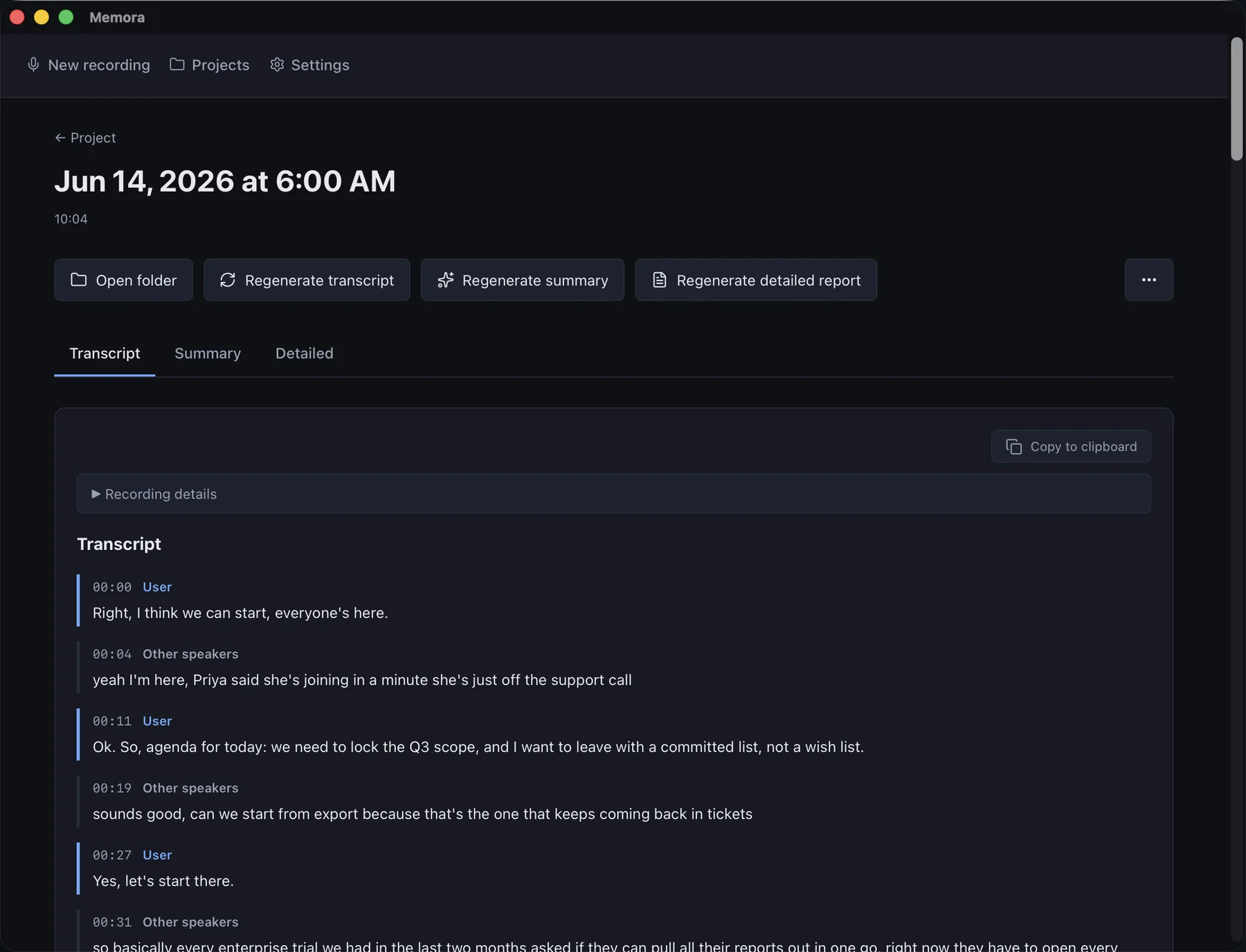
Read who said what
The transcript separates your voice from the other participants, with a timestamp on every line. Skim it after the call instead of trusting the notes you did not take.
Step 3
Minutes you can send
One click turns the transcript into a summary or a detailed report: decisions, action items with owners, open questions. Ready to paste into the follow-up email.
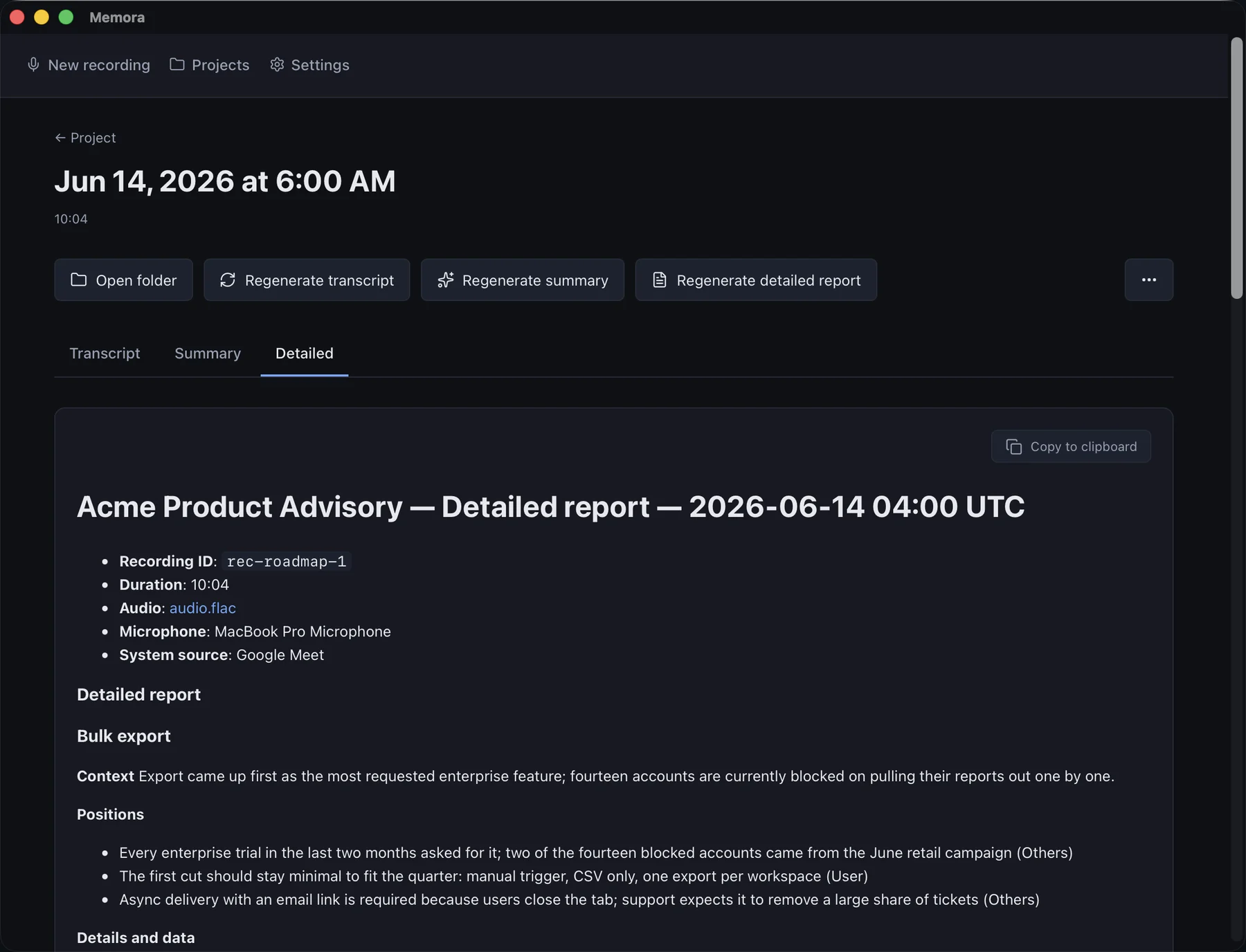
Step 4
Plain files, straight into your vault
Point the output folder at your Obsidian vault and every recording becomes a note: Markdown with wiki-links, saved next to the rest of your knowledge. No export step, no proprietary database.
Plain text on disk also means your transcripts can power your own AI workflows: point Claude Code, a script or any agent at the folder and let it work across months of conversations.
Vault/
└─ Clients/
   └─ Acme Product Advisory/
      └─ 2026-06-14 meeting/
         ├─ audio.flac
         ├─ transcript.md
         ├─ summary.md
         └─ report.md
Pricing
- 14 days, every feature
- No account, no credit card
- Your recordings stay yours after it ends
- One payment, no subscription
- Works on up to 5 personal Macs
- Updates included
Common questions
Answers about the trial, the license and privacy live on the FAQ page.